Farms
A farm is the core entity in the Koru.Farm system. All other data (cultivation zones, crops, seasons, activities) are linked to a specific farm. Proper farm setup is the first and most important step for effective work with the platform.
You can manage one or multiple farms from a single account. This is convenient for agricultural holdings and farmers who own several plots of land.
What is a Farm in Koru.Farm?
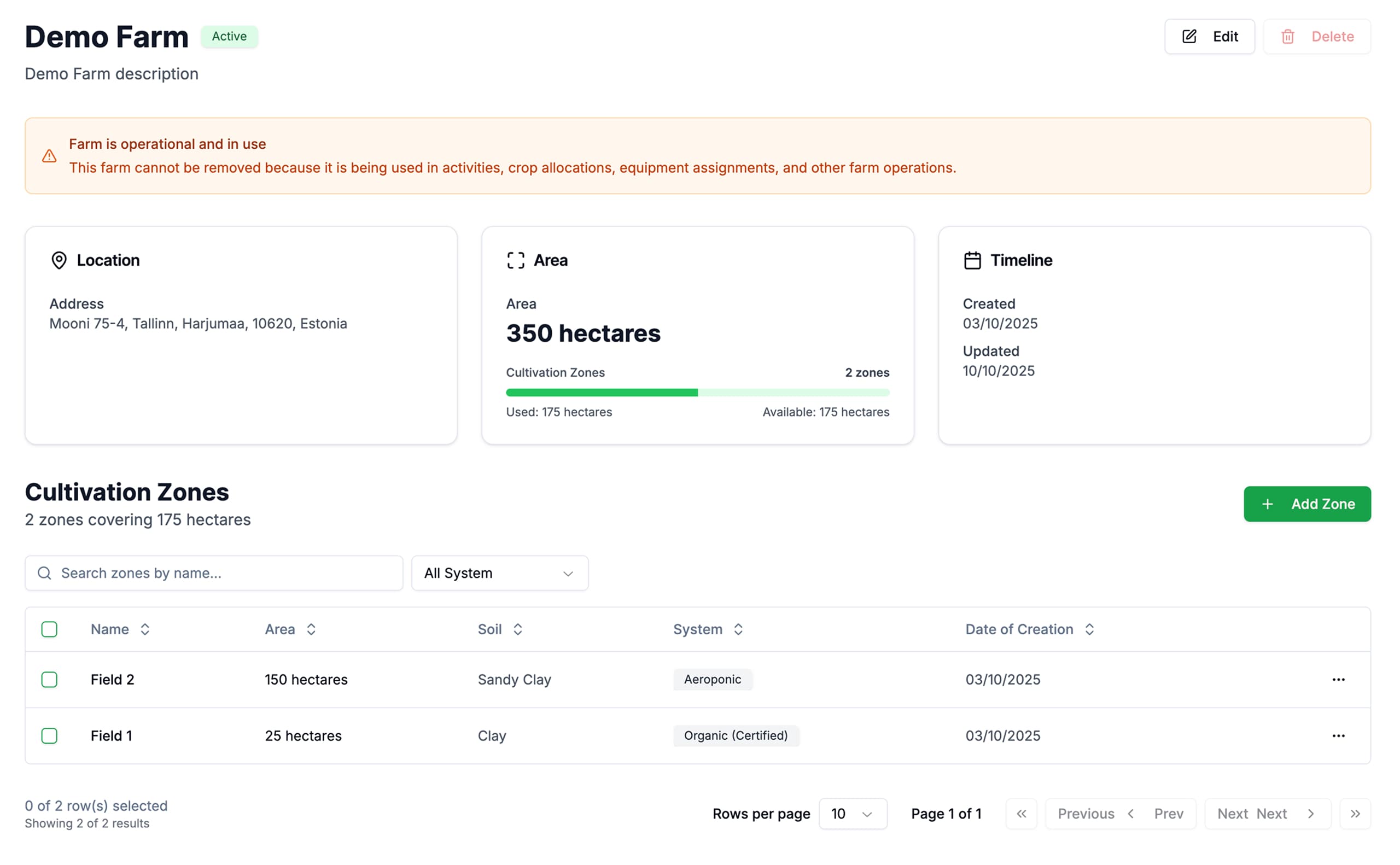
A farm represents your agricultural enterprise or an individual land plot. Each farm contains:
- Location — address and geographic coordinates
- Area — total size of the land in hectares
- Cultivation Zones — individual fields and plots within the farm
- Linked Resources — crops, seasons, activities, and team
Documentation Sections
Creating a Farm
Step-by-step instructions for adding a new farm to the system.
Farm Details
Viewing complete farm information and managing cultivation zones.
Editing and Deleting
Modifying farm data and removing unused records.
Managing Multiple Farms
Working with multiple farms in a single account.
Quick Access
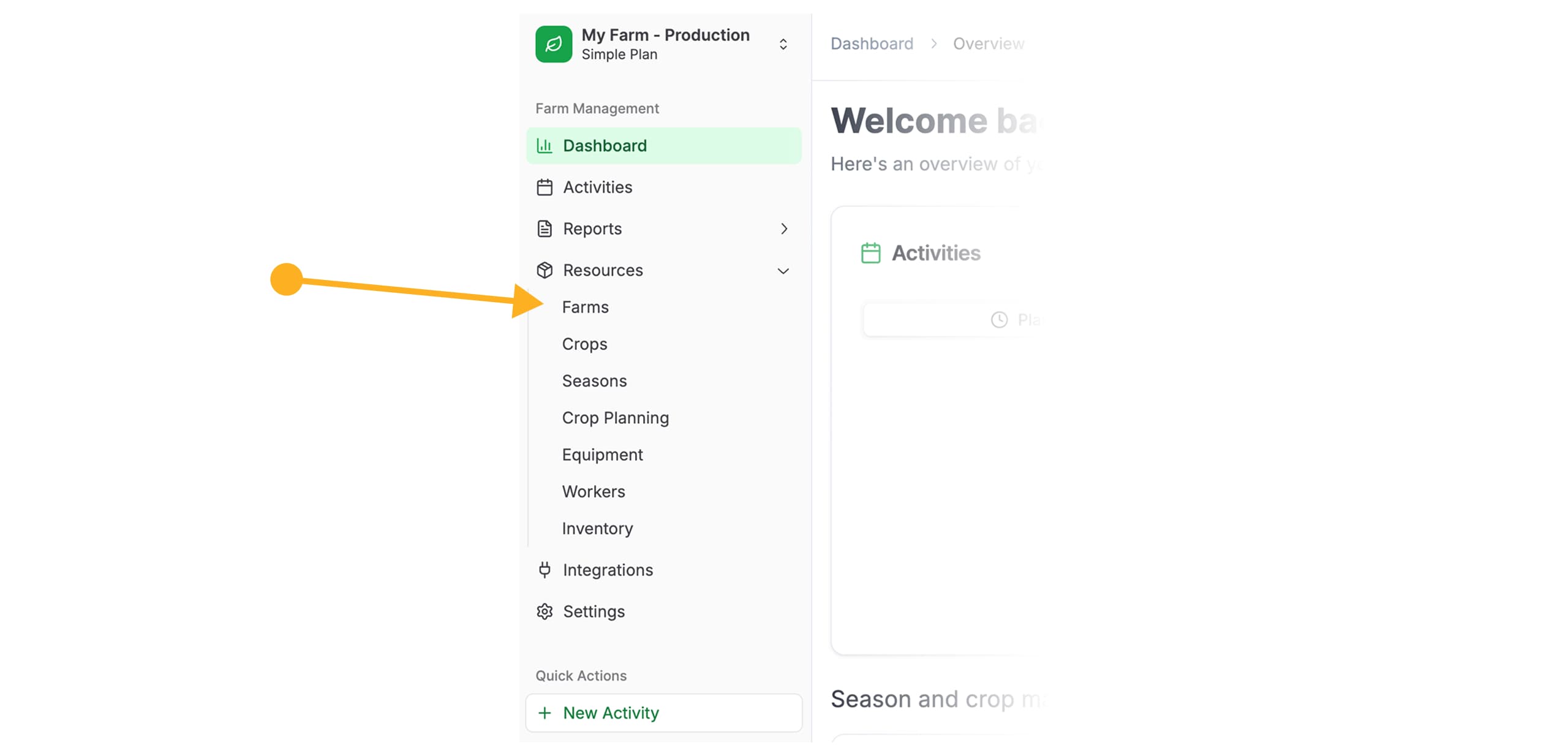
To manage farms, navigate to Resources → Farms via the left navigation menu.
If you’re just getting started with Koru.Farm, we recommend first reading the Quick Start section, which describes the complete system setup process.