Registration and Login
How to Get Access to the Platform
Currently, self-registration is not available. To start using Koru.Farm, you need to submit a request, and our team will create a ready-to-use account for you.
Account Request Process
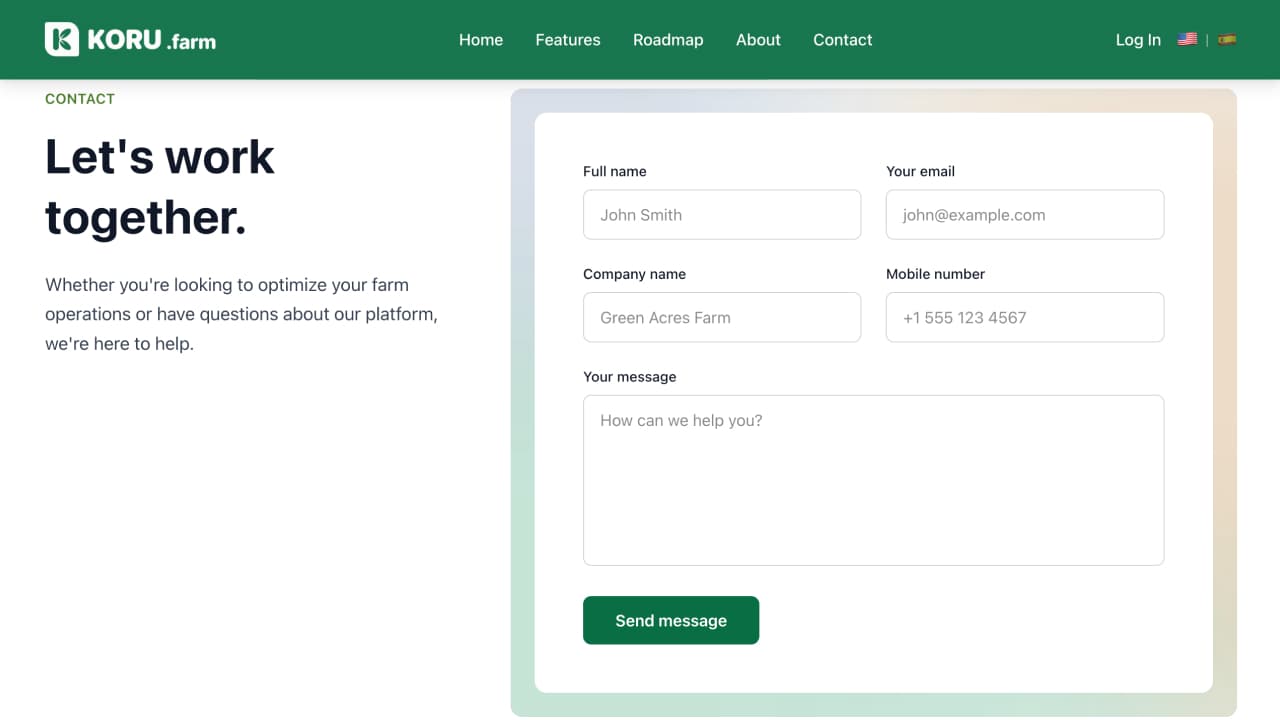
Fill Out the Request Form
Go to koru.farm and fill out the access request form. Provide:
- Your company name
- Contact email
- Other required information
Wait for Account Creation
Our team will process your request and set up the account according to your farm’s needs.
Receive Your Credentials
Once the account is created, you will receive an email with your login (email) and temporary password.
Account creation typically takes 1-2 business days. If you haven’t received the email, please check your Spam folder.
Signing In
After receiving your credentials, you can sign in to your account.
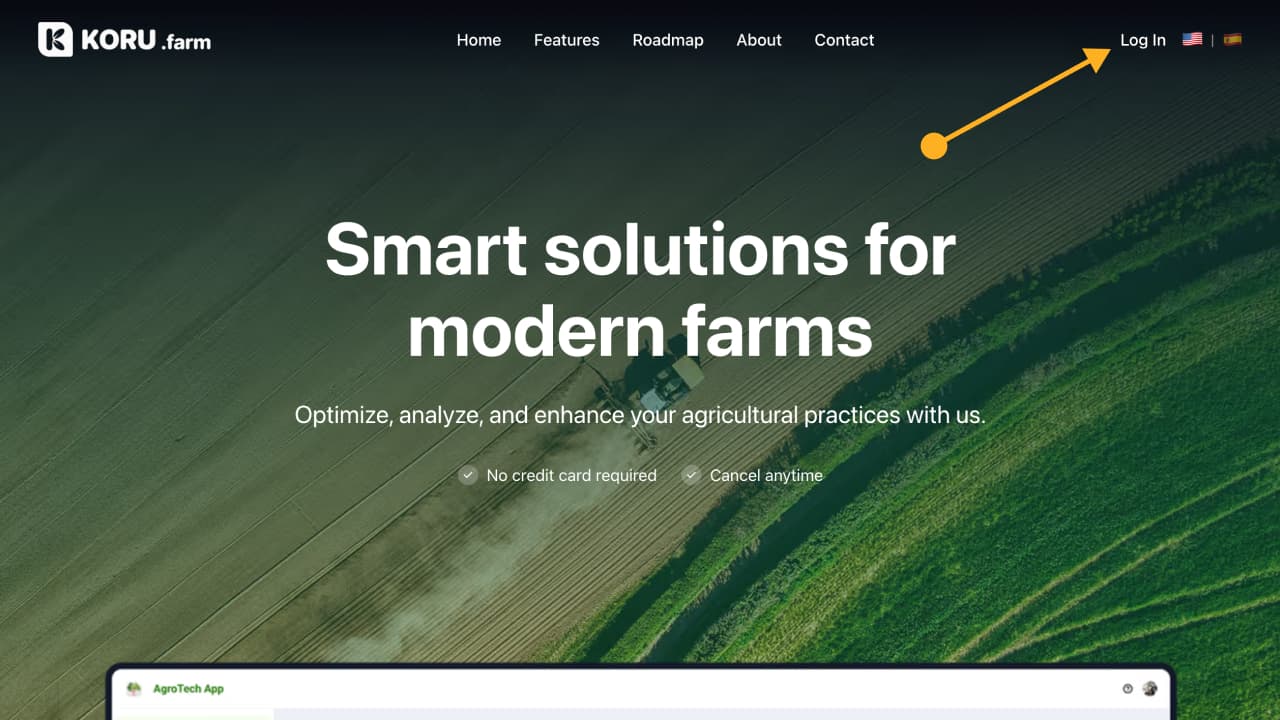
Open the Website
Go to koru.farm in your browser.
Click the “Login” Button
In the top right corner of the page, find and click the Login button.
Enter Your Credentials
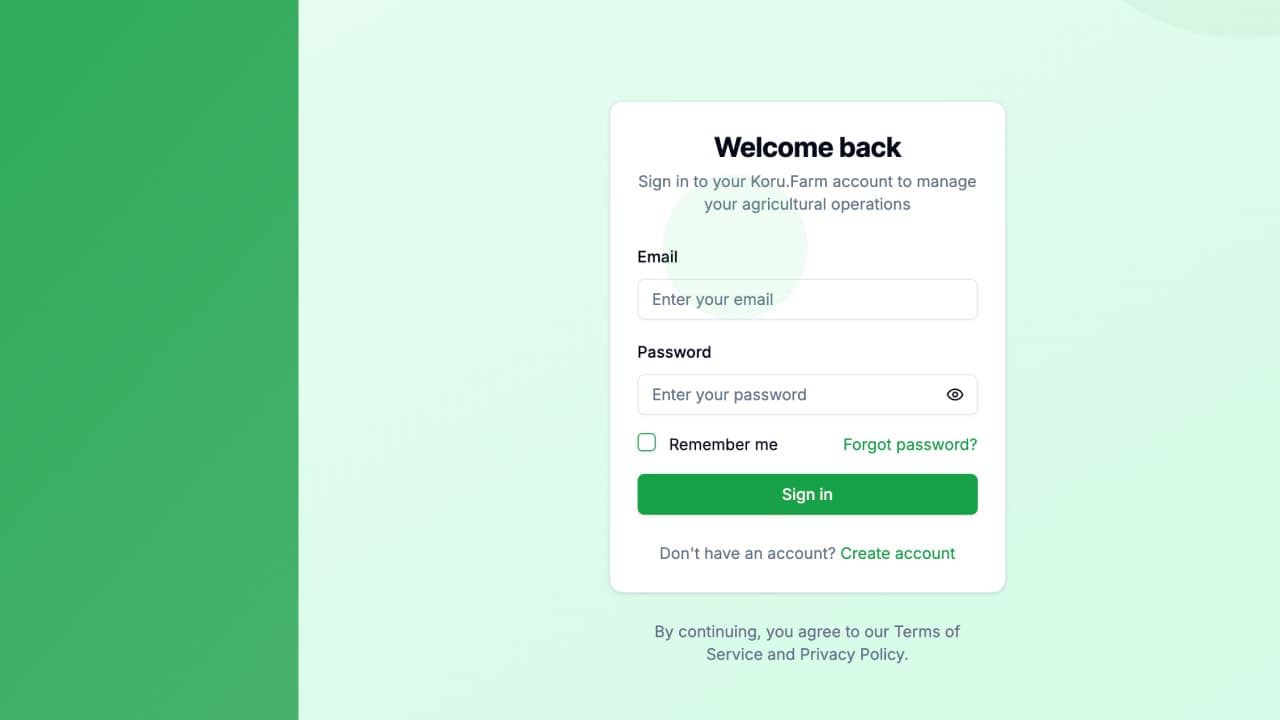
On the login page, enter:
- Email — your email address
- Password — the password provided by our team
Click “Sign in”
After entering your credentials, click the Sign in button.
If the credentials are correct, you will be redirected to the main page — Dashboard.
If a login error occurs, an error message will be displayed on the screen. Please verify that your email and password are entered correctly.
Password Recovery
If you forgot your password, you can reset it.
Click “Forgot Password”
On the login page, click the Forgot Password link below the input fields.
Enter Your Email
On the page that opens, enter the email address associated with your account.
Check Your Inbox
An email with a password reset link will be sent to the specified address.
Create a New Password
Follow the link from the email and set a new password.
The password reset link is valid for a limited time. If it has expired, please request a new one.