Farm Details
The farm details page provides complete information about the selected farm in one place. Here you can view all data and navigate to related resources.
Opening the Details Page
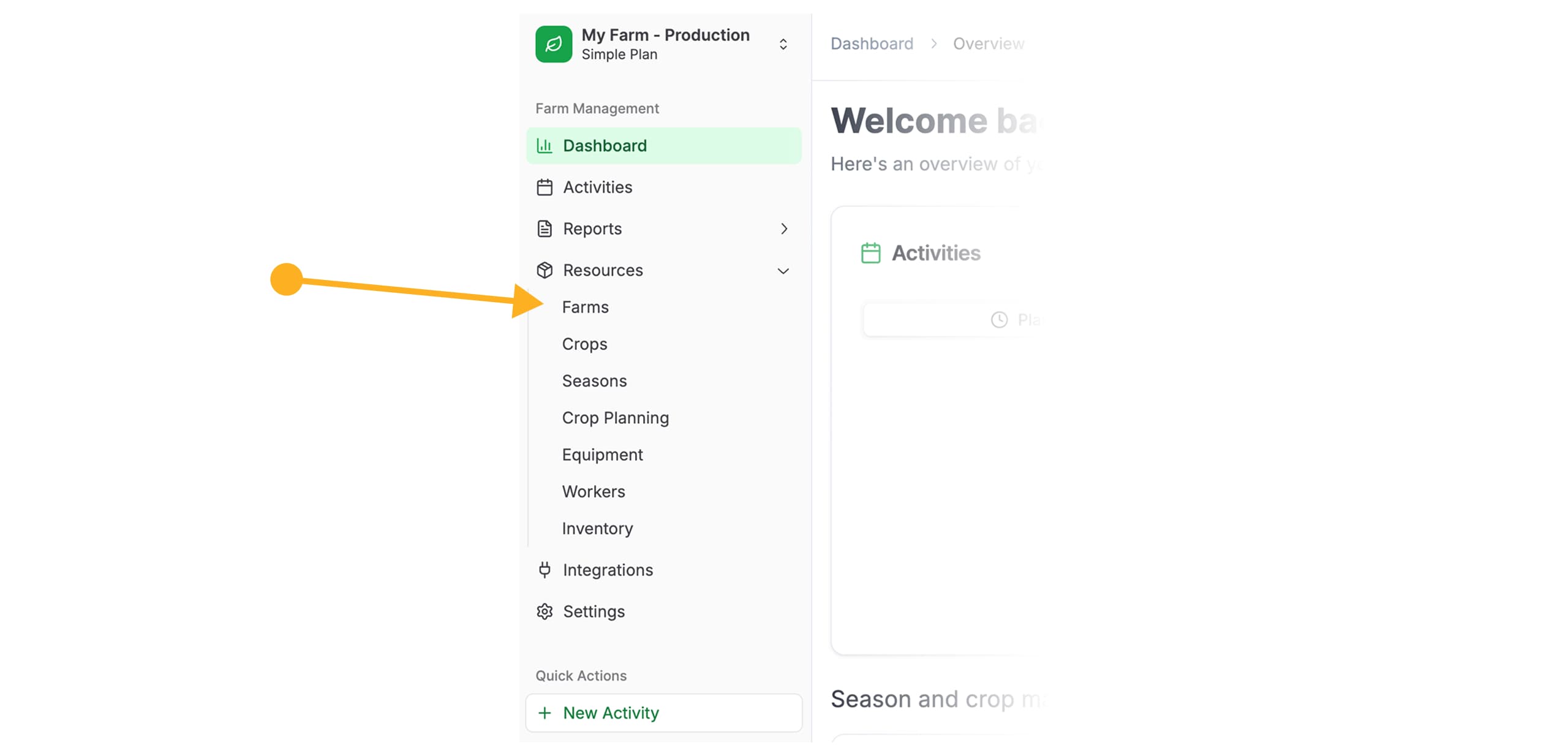
Navigate to the “Farms” Section
In the left navigation menu, select Resources → Farms.
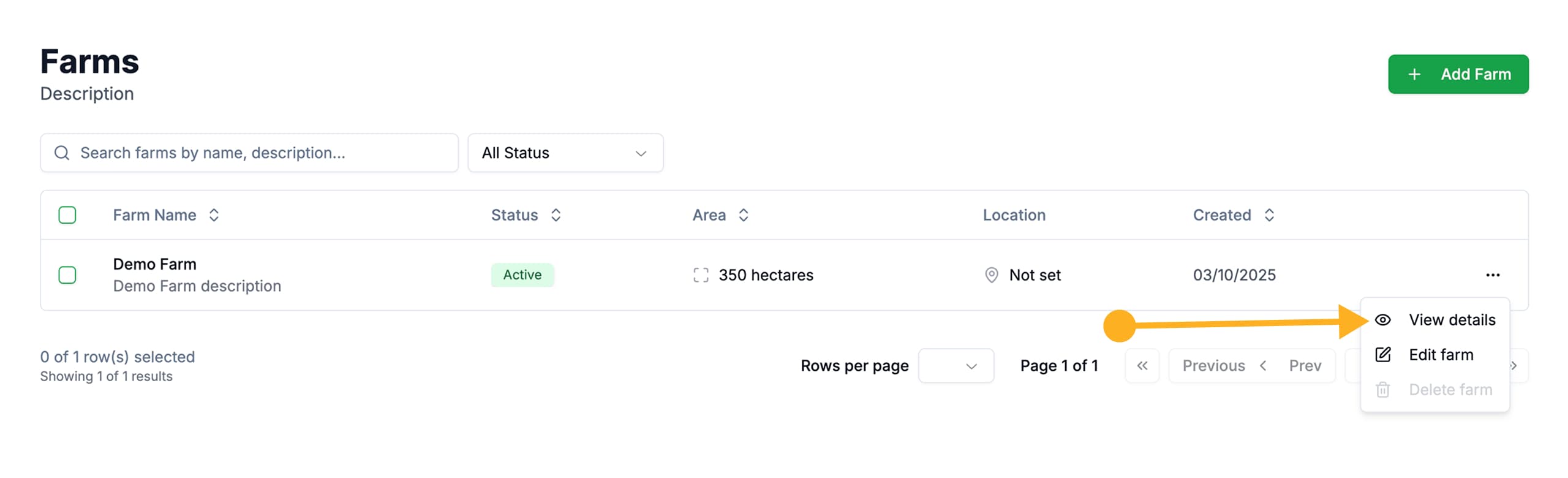
Open the Actions Menu
Find the desired farm in the list and click on the three dots icon (⋮) in the right corner of the row.
Select “Details”
In the dropdown menu that opens, select Details.
Information on the Details Page
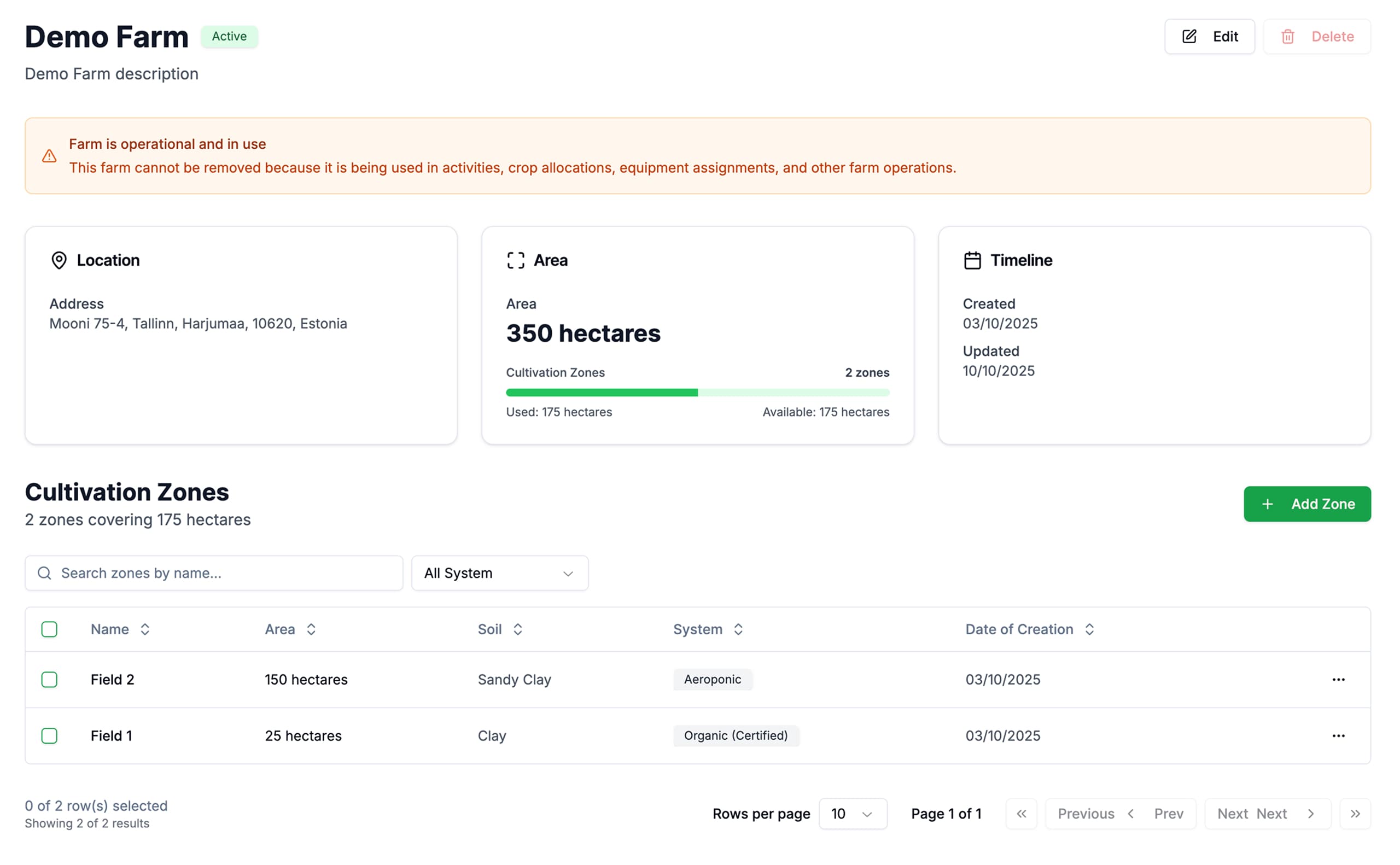
The farm details page displays all key information:
| Section | Description |
|---|---|
| Basic Information | Name, address, and total farm area |
| Cultivation Zones | List of all zones linked to the farm |
| Statistics | Summary data on crops and activities |
Learn more about managing cultivation zones in the Cultivation Zones section.
Quick Actions
From the farm details page, you can also:
- Edit the farm — modify basic information
- Add a cultivation zone — create a new plot
- View linked crops — see which crops are being grown
- Go to activities — view scheduled work for this farm
Last updated on